WE'RE HIRING! Know how to braze? Join Premier Tooling Systems. Experience with torch or induction brazing preferred. APPLY NOW!

What Causes Tool Runout? How to Reduce It in CNC Machining

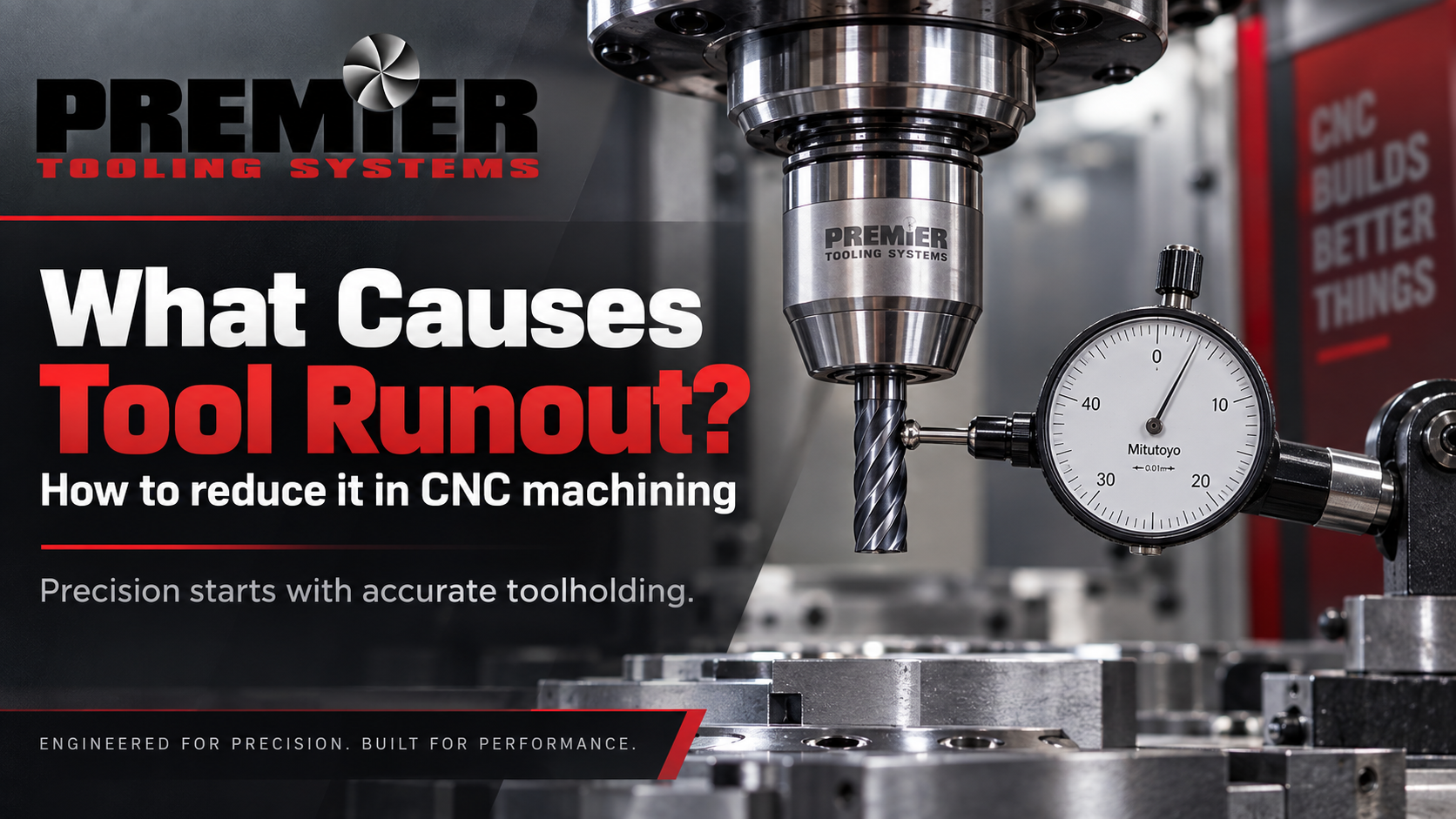
A cutting tool can look perfectly straight while still running slightly off-centre once the spindle begins to rotate.
That small deviation is known as tool runout, and in precision machining, a small amount can make a noticeable difference.
Excessive runout can cause one cutting edge to work harder than the others, creating uneven wear, vibration, inconsistent dimensions and poor surface finish. Minimizing runout as an important factor in process security, tool life, component quality and surface finish.
Understanding where runout comes from — and knowing how to diagnose it systematically — can help manufacturers improve both cutting performance and process consistency.
What Is Tool Runout?
Ideally, the centerline of the cutting tool, toolholder and machine spindle should all share the same rotational axis.
When they do not, the cutting edge moves slightly toward and away from the workpiece during every revolution.
That movement is runout.
Runout is normally evaluated as Total Indicator Reading (TIR) while the spindle or tool is rotated. A precision indicator can be positioned against a gauge pin, test bar or tool to measure how much the rotating surface moves away from its ideal position.
Use dial-indicator measurements at the spindle taper and along a precision test bar as part of the spindle-maintenance procedures.
The important point is that runout is not necessarily caused by the cutting tool alone.
The entire assembly matters.
Why Does Runout Matter?
Imagine a four-flute end mill running perfectly concentrically.
Ideally, each cutting edge shares the machining load.
Now introduce runout.
One flute may begin contacting the material earlier and cutting a larger chip than the others. Instead of four cutting edges sharing the work evenly, one or two edges may carry a disproportionate amount of the load.
Lower runout produces better distribution of cutting forces across the teeth of a cutter, while excessive runout can contribute to premature wear, vibration and poor surface finish.
Over a long production run, that imbalance can become expensive.
Parts may begin drifting out of tolerance, tools may require replacement sooner, and operators may start compensating for symptoms without addressing the underlying cause.
What Causes Tool Runout?
Runout can enter the machining system at several points. Common causes include:
- Contamination between the spindle, holder, collet or cutting-tool surfaces
- Worn or damaged toolholders
- Collet wear or incorrect collet installation
- Cutting tools with poor shank concentricity
- Excessive tool projection or overhang
- Incorrect spindle or turret alignment
- Damage or wear in the machine spindle
- Improper tool seating
- Inconsistent clamping force
- Toolholder or assembly imbalance
- Chips, burrs or debris on mating surfaces
This is why replacing the cutting tool alone does not always solve the problem.
Runout troubleshooting should consider the complete path from the cutting edge back through the holder and machine spindle.
Start With Clean Mating Surfaces
One of the simplest causes of apparent runout is contamination.
A small chip, burr or film of debris between two precision mating surfaces can prevent the toolholder from seating correctly.
The resulting error may be tiny, but the effect becomes increasingly noticeable farther away from the spindle.
Before assuming that a holder or spindle is damaged, inspect and clean the relevant surfaces carefully.
That includes the cutting-tool shank, holder bore, collet, holder taper and machine spindle interface.
Debris between mating surfaces can affect alignment measurements and recommends ensuring that toolholder interfaces are clean and free from defects.
Simple maintenance can prevent a surprisingly complicated troubleshooting session.
Measure Before Changing the Process
When surface finish or tool life suddenly deteriorates, it is tempting to start changing speeds, feeds or cutting parameters immediately.
Those changes may mask the symptom without identifying the cause.
Instead, check runout first.
A common approach is to mount a precision indicator so that its tip contacts a known straight surface such as a gauge pin, test bar or suitable cutting-tool shank. The spindle is then rotated slowly by hand while the indicator is observed.
The difference between the highest and lowest reading represents the indicated runout.
Operators use an indicator against a tool or test bar and rotate the spindle when checking spindle and tooling runout.
For a production problem, measuring at more than one point can be useful.
Runout near the holder may indicate one issue. Runout that becomes progressively greater farther from the holder can point toward angular misalignment, tool straightness or excessive projection.
Tool Stick-Out Can Magnify the Problem
Tool projection matters.
As a cutting tool extends farther from its support point, rigidity decreases and small alignment errors can become more significant at the cutting edge.
Longer setups can also become more susceptible to vibration and deflection.
It is recommended to minimize tool overhang when troubleshooting uneven wear caused by runout and vibration, as well as shortening tool overhangs and using the most rigid tools and toolholders available when trying to reduce chatter.
The practical rule is simple:
Use only as much tool length as the application actually requires.
When additional reach is unavoidable, the holder and tooling system need to provide sufficient rigidity and concentricity for the application.
The Toolholder Plays a Critical Role
The quality of the cutting tool matters, but the holder determines how accurately and consistently that tool connects to the spindle.
Different toolholding technologies are suitable for different applications.
For operations where concentricity, vibration damping and repeatability are priorities, hydraulic toolholding can provide a useful combination of uniform clamping and damping characteristics.
Premier Tooling Systems' Hydro-Micron hydraulic toolholding system is designed for high-precision drilling, reaming, tapping, end milling and specialty tooling applications. Its hydraulic mechanism applies uniform gripping pressure around the tool shank while helping absorb machining vibration and provide repeatable clamping.
That stability becomes especially important in operations where small differences at the cutting edge affect finished-part quality.
When Runout Needs to Be Adjustable
Some precision applications require more than simply installing a high-quality holder.
They require the ability to fine-tune the tool's rotational alignment after installation.
PTS's HYDRO-ZERO FIT provides precision hydraulic clamping with integrated runout adjustment. Four adjustment screws allow operators to fine-tune tool alignment and minimize runout after installation.
This type of adjustment can be particularly useful for precision reaming, fine finishing, PCD tooling, long-reach tools and other applications where small changes in concentricity can influence component quality or tool life.
Instead of accepting the accumulated error of every component in the assembly, an adjustable system gives the operator another opportunity to bring the cutting edge closer to the intended rotational axis.
Runout and Surface Finish
Poor surface finish is often blamed immediately on the cutting tool.
Sometimes that is correct.
But surface finish is the result of an entire machining system.
If one cutting edge is removing substantially more material than the others, the cutter is no longer operating under the conditions for which it was intended.
Rotary cutting tools need to be held so their axes align correctly with the toolholder; otherwise, one side can cut more heavily than another, contributing to reduced tool life and poor part surface finish.
Before changing inserts, coatings or cutting parameters, it can therefore be worth checking whether the tool is actually rotating where you think it is.
Runout and Tool Life
Uneven load creates uneven wear.
When one flute repeatedly takes a larger chip load, that edge may begin wearing first. Once it wears, the load distribution can become even less balanced.
The process can accelerate.
That is why improving concentricity can sometimes extend tool life without changing the tool itself.
This is particularly relevant in production environments where tooling costs need to be considered across thousands of parts rather than one machining cycle.
A seemingly small improvement in repeatability can produce a meaningful difference when it is repeated every minute, every shift and across multiple machines.
Runout in Swiss-Type CNC Machining
Swiss-type machines introduce another challenge: space.
Tooling must often fit into a restricted machining envelope while maintaining the accuracy and rigidity required for small precision components.
Hydro-Swiss Turn from Premier Tooling Systems is engineered specifically for Swiss-type CNC lathes, combining compact construction with hydraulic clamping to support accuracy, stability and efficient tool changes in limited machine spaces.
For these applications, reducing holder size cannot come at the expense of stable tool positioning.
Compact tooling still needs to maintain a reliable connection between the cutting edge and the machine.
Limited Clearance Creates Another Trade-Off
Another common challenge appears when the holder itself interferes with the workpiece.
The obvious solution may be to extend the cutting tool farther from the holder.
But additional overhang can reduce rigidity.
A better approach can sometimes be to reduce the physical size of the holder instead.
PTS's Hydro-Slim hydraulic toolholders use a narrow holder profile for applications where accessibility and interference are concerns while still providing hydraulic clamping, vibration damping and high runout accuracy.
This can allow difficult areas to be reached without introducing unnecessary tool projection.
Don't Confuse Runout With Chatter
Runout and chatter are related, but they are not the same problem.
Runout is geometric: the tool is not rotating perfectly around its intended centerline.
Chatter is dynamic: it is vibration occurring during the machining process.
One can contribute to the other.
Unequal cutting forces created by runout may increase vibration, while an unstable setup may produce chatter even when static runout is acceptable.
Consider tool rigidity, overhang, workholding, spindle speed and cutting conditions when troubleshooting chatter.
That distinction matters because adjusting runout will not necessarily solve every vibration problem.
Likewise, changing spindle speed may temporarily reduce chatter while leaving a runout problem untouched.
A Practical Runout Troubleshooting Sequence
Rather than replacing several components at once, diagnose the problem systematically.
- Check the spindle interface and taper for contamination or damage.
- Measure the spindle using an appropriate test bar where possible.
- Inspect the holder and its mating surfaces.
- Check the collet, sleeve or clamping mechanism.
- Install a known-good gauge pin or cutting tool.
- Measure close to the holder.
- Measure again farther along the tool.
- Reduce unnecessary tool projection.
- Measure the complete assembly again.
Changing only one variable at a time makes it much easier to identify where the error is entering the system.
The Lowest Runout Number Is Not the Only Goal
There is always a temptation to chase the smallest possible indicator reading.
But machining decisions should be application-specific.
A roughing operation does not necessarily require the same concentricity as a precision reaming operation. A short, rigid cutter running at moderate speed presents different challenges from a long-reach finishing tool operating at high spindle speed.
The goal is not simply to produce an impressive inspection number.
The goal is to create a machining system that consistently delivers the required tolerance, finish, tool life and productivity.
That means looking at runout alongside clamping, vibration, rigidity, balance, workholding and cutting conditions.
Precision Is a System
Tool runout rarely comes from one component acting completely alone.
The spindle, holder, cutting tool, setup and machining conditions all contribute to the final position of the cutting edge.
That is why solving persistent runout problems requires looking beyond the tool itself.
Premier Tooling Systems develops precision cutting and toolholding solutions around the complete machining application, from tooling selection and custom tool design to time studies, process optimization and implementation. Explore Premier Tooling Systems engineering services.
If inconsistent tool life, surface finish or dimensional accuracy is pointing toward a tooling problem, contact the Premier Tooling Systems engineering team to discuss the application and determine where improvements can be made.
Engineered for Precision. Built for Performance.
2 thoughts on “What Causes Tool Runout? How to Reduce It in CNC Machining”